
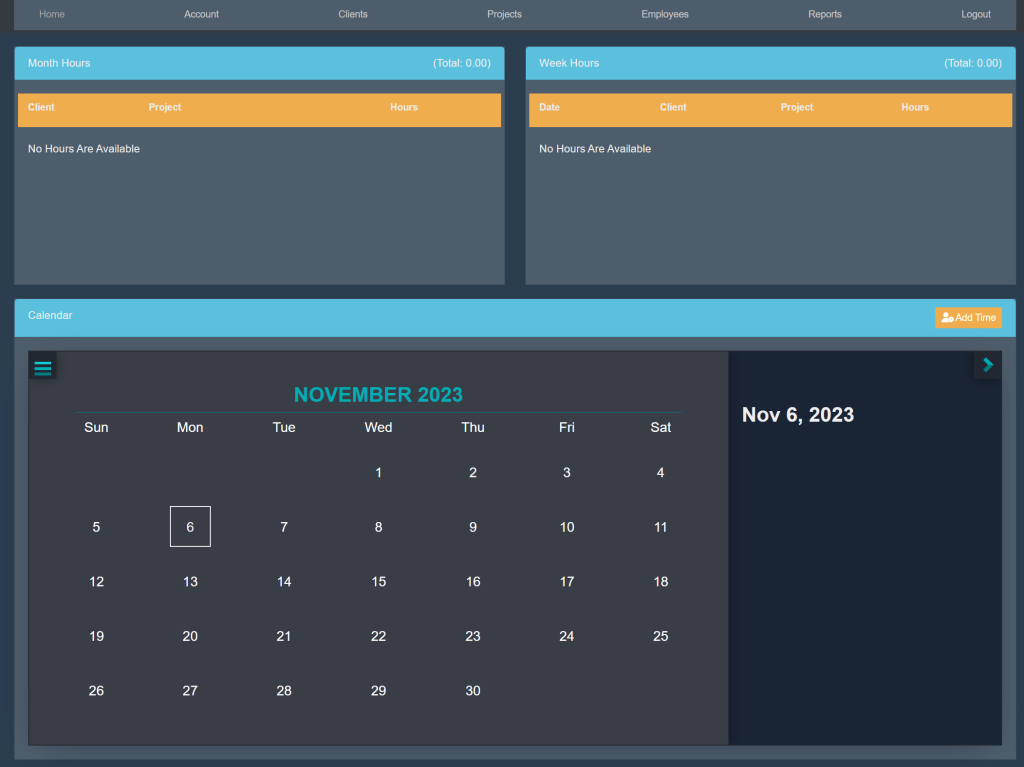
Sign into your account. This will take you here:
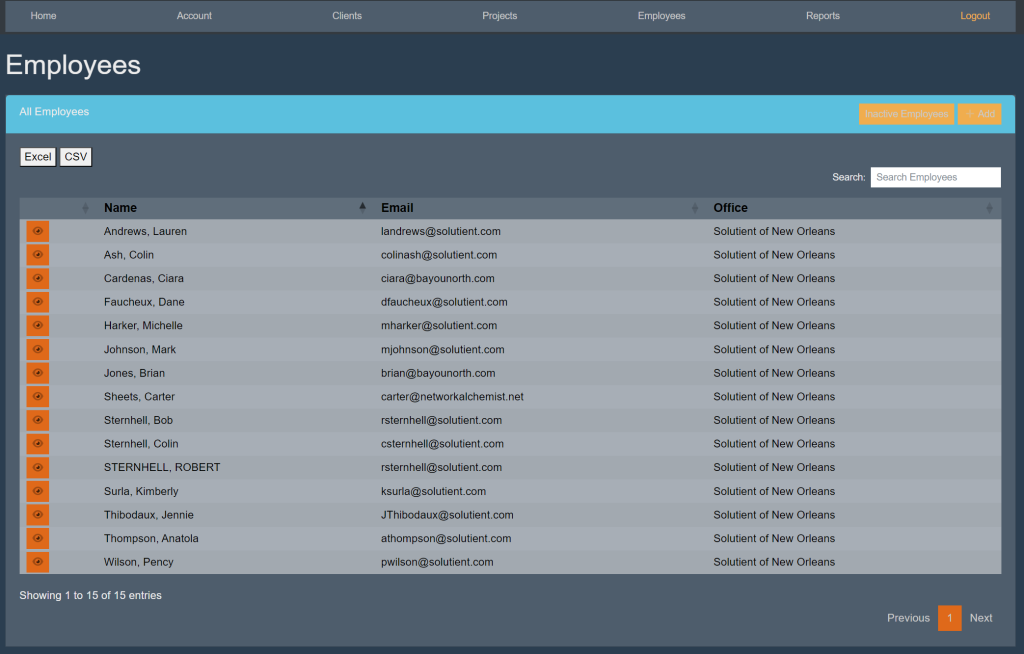
At the top of the page, select Employees. This will take you here:
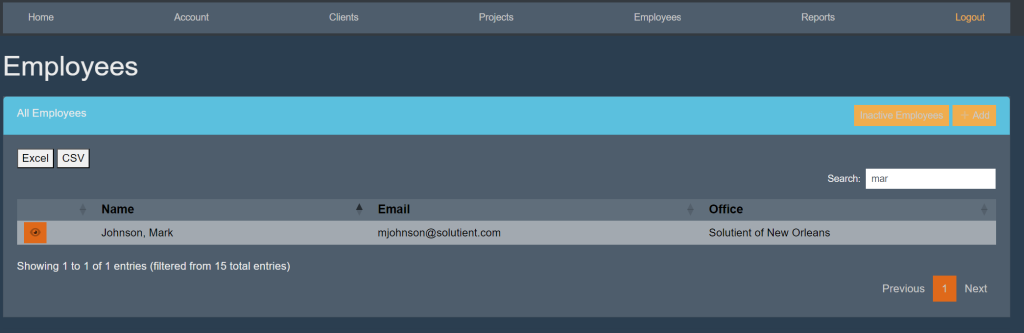
Within the All Employees box, locate the search bar. Begin typing in the employees’ name. The list will start to eliminate other employees’ that do not match. For example:
Select the employee’s name. This will take you here:
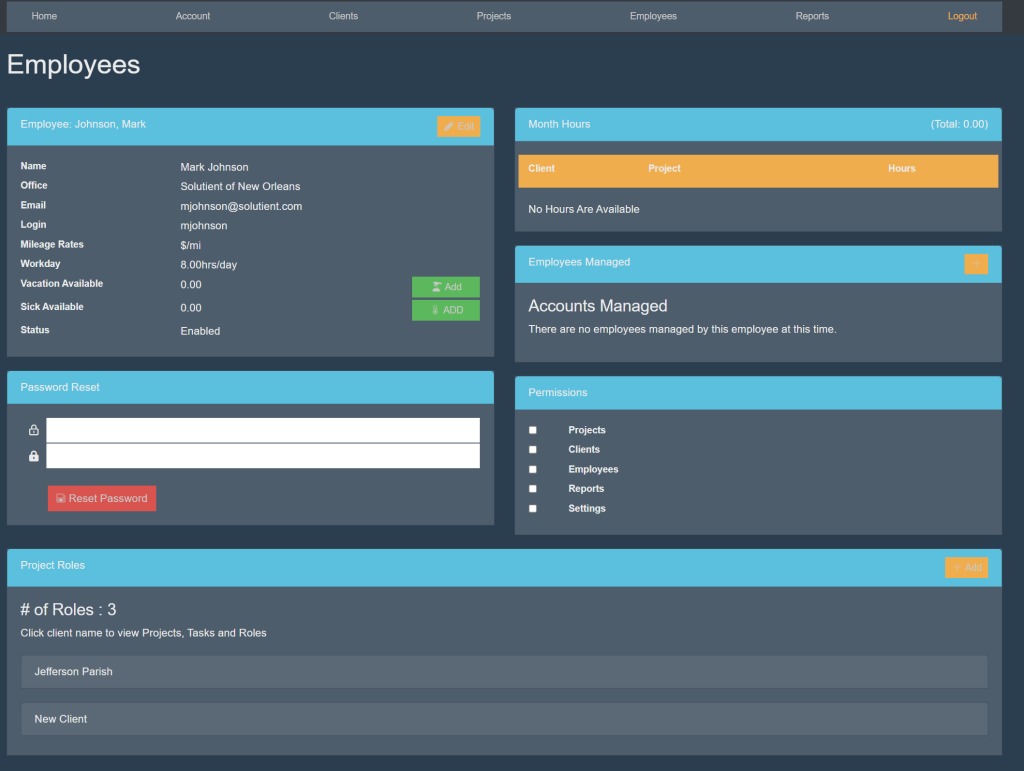
Locate the box titled ‘Employee’. Then, select the orange button titled ‘Edit’. Your page will look like this:
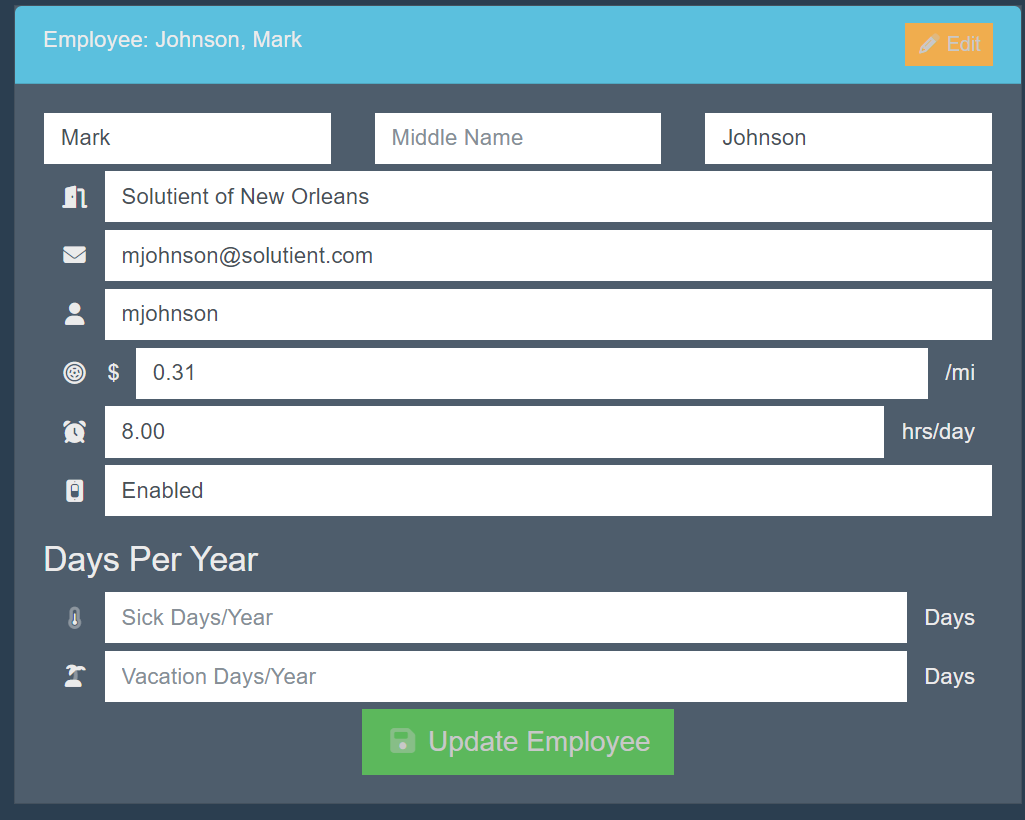
Fill in the following information:
- Name
- Office
- Login
- Mileage Rates
- Workday
- Status
Then, select the green button titled ‘Update Employee’.