
Sign into your account. This will take you here:
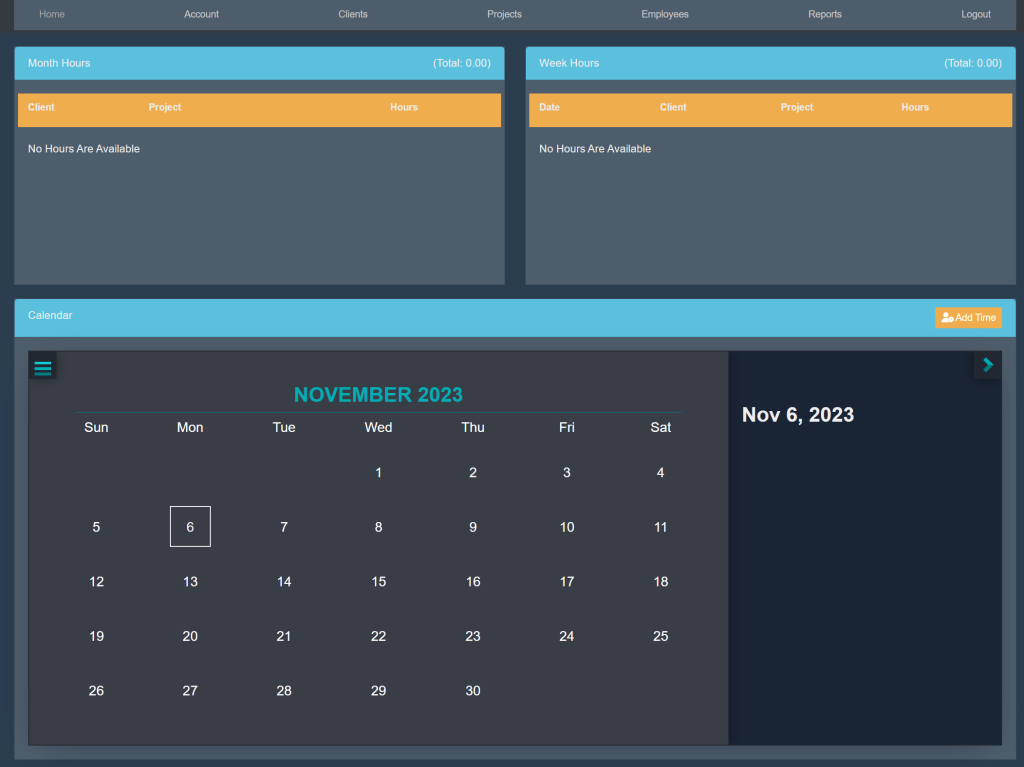
At the top of the page, select Employees. This will take you here:
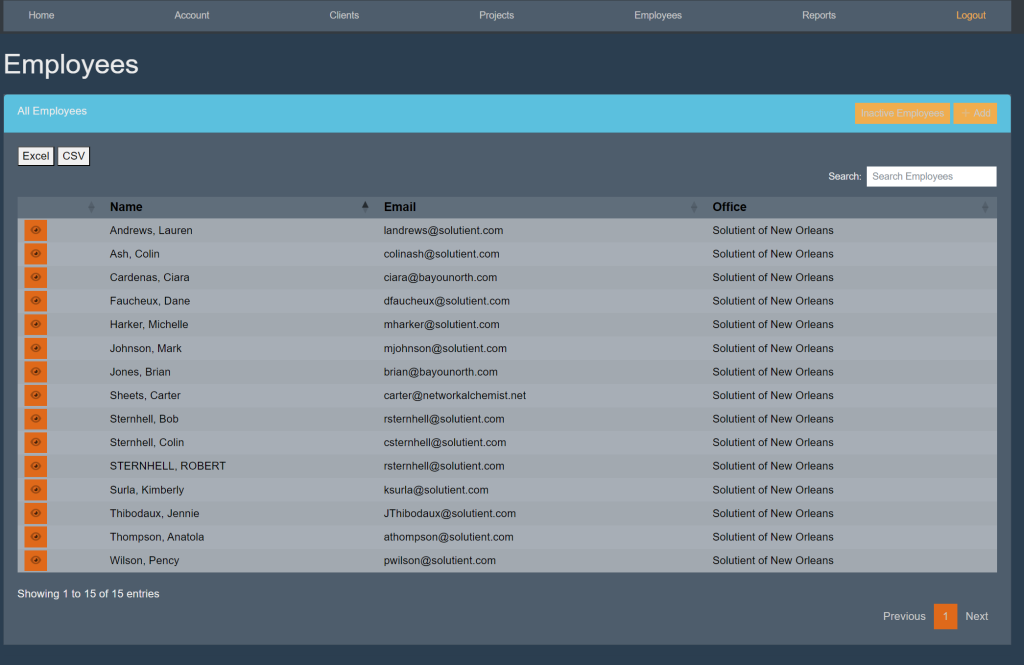
Within the All Employees box, select the orange button titled +Add’ within the top right. This will take you here:
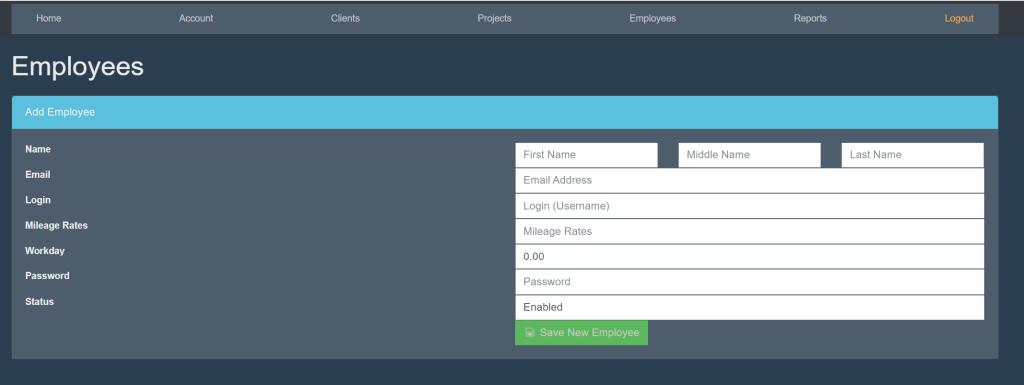
Fill in the following information:
- First/Middle/Last Name
- Login (Username)
- Mileage Rates
- Workday (The amount of hours that the employee will work daily)
- Password
- Status (If they are an active or inactive employee)
Then, select the green button titled ‘Save New Employee’.