
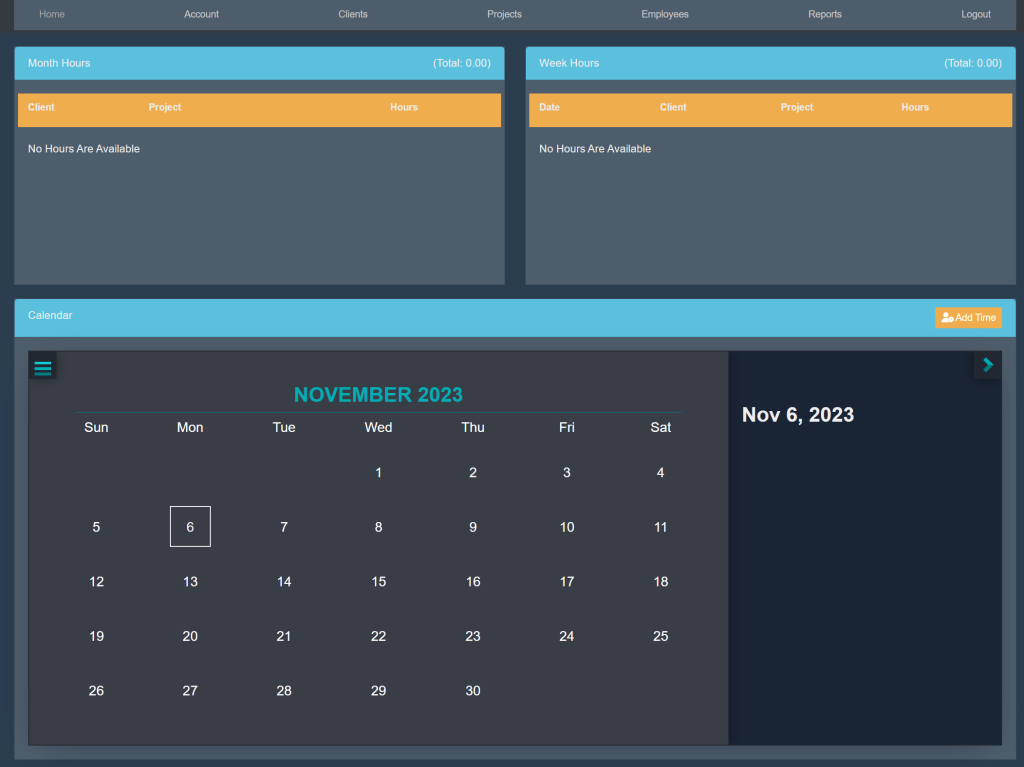
Sign into your account. This will take you here:
At the top of the page, select Employees. This will take you here:
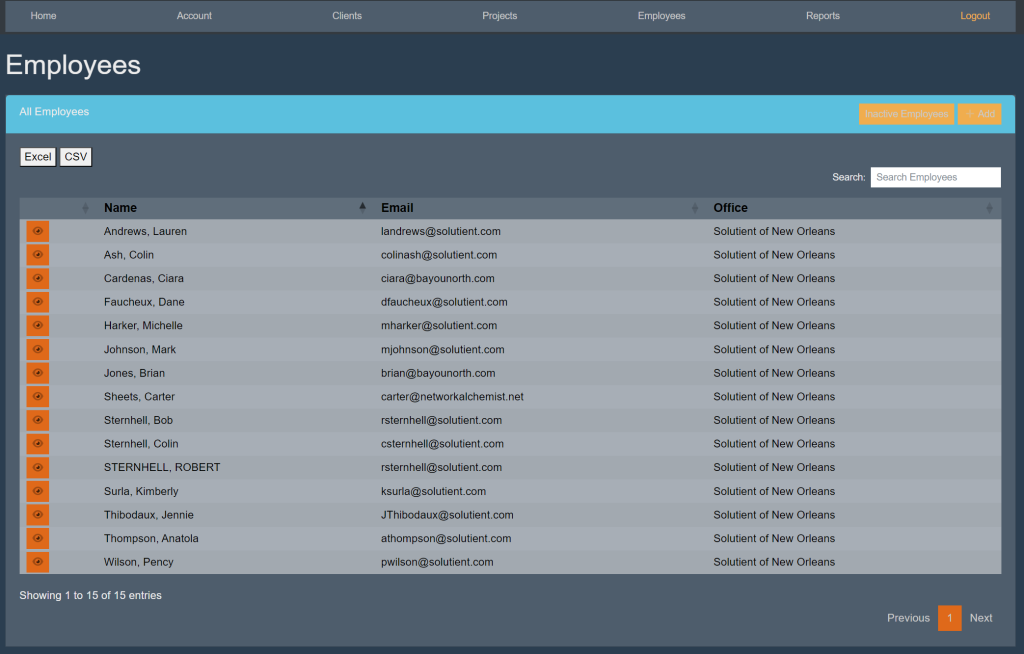
Within the All Employees box, select the orange button titled ‘Inactive Employees’.
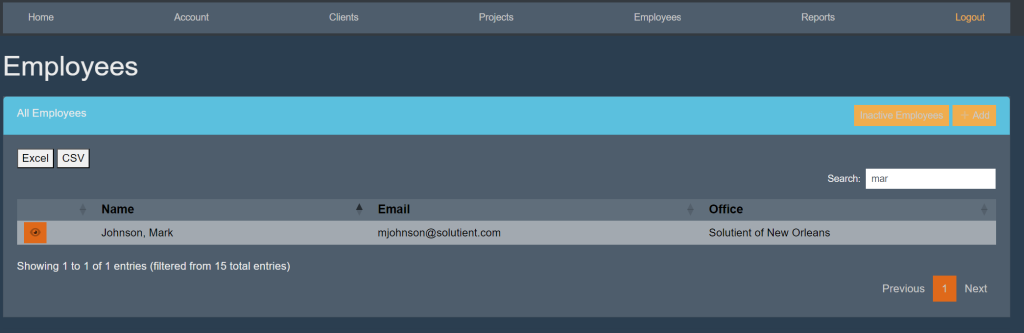
Then, locate the search bar. Begin typing in the employees’ name. The list will start to eliminate other employees’ that do not match. For example:
Select the employee’s name. This will take you here:
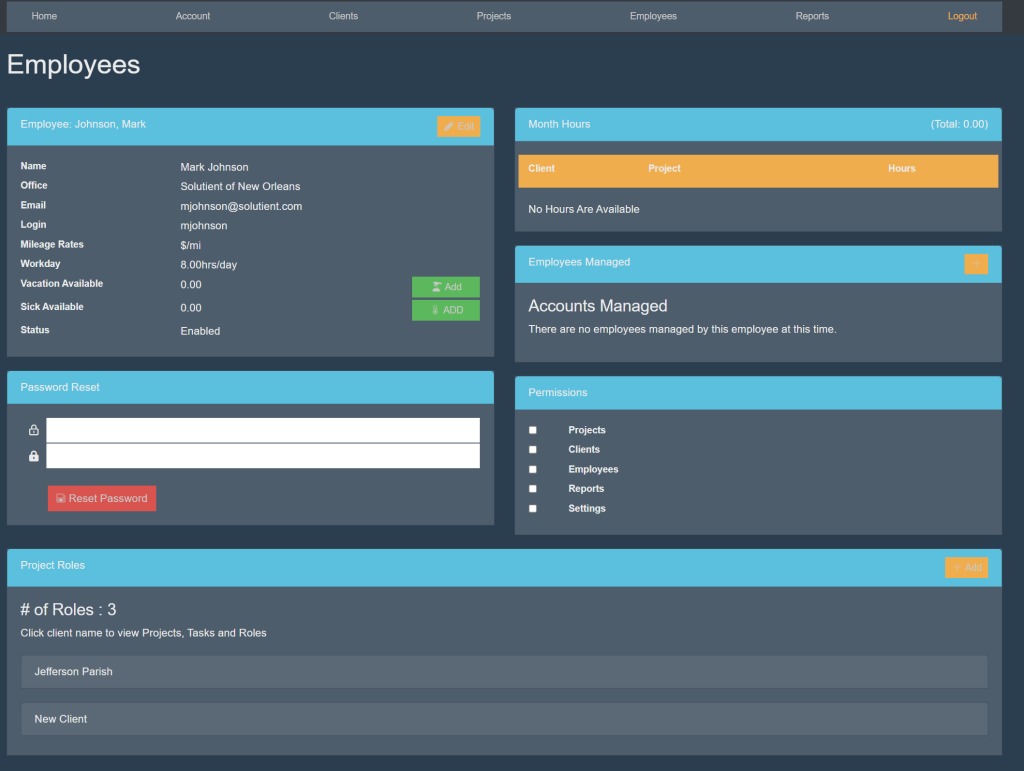
Locate the box titled ‘Employee’. Then, select the orange button titled ‘Edit’. Your page will look like this:
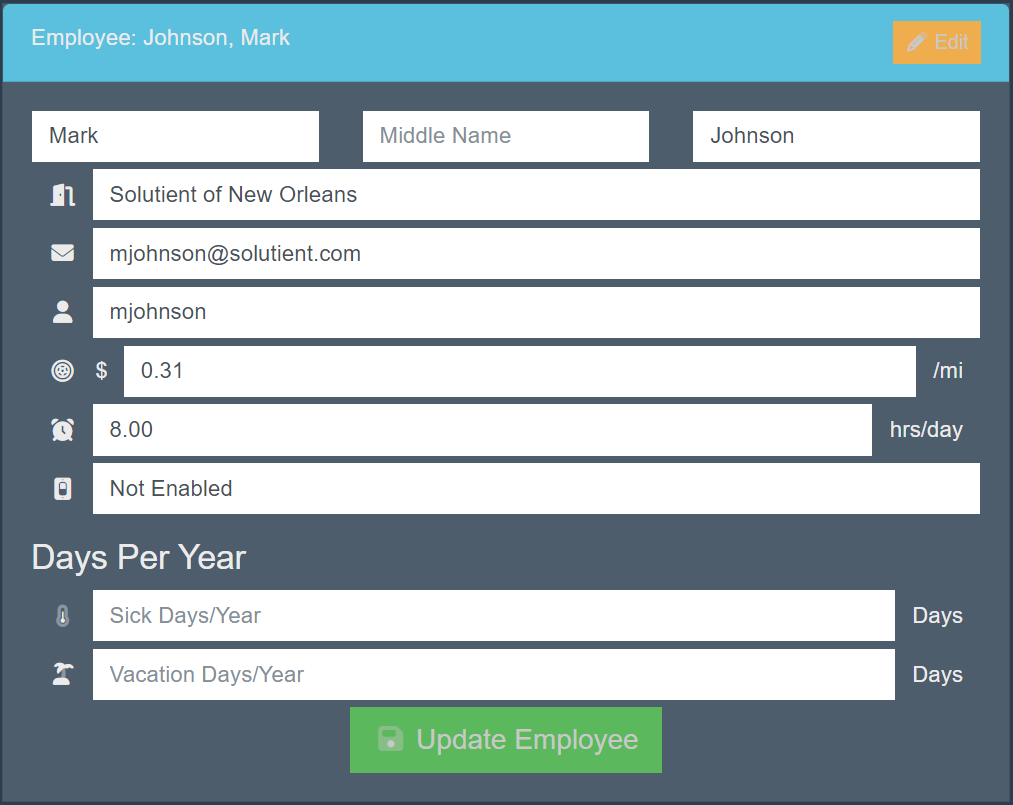
Select the box titled ‘Enabled’. A drop down will appear. Select ‘Not Enabled’.
Then, select the green button titled ‘Update Employee’.