
Notice: Function _load_textdomain_just_in_time was called incorrectly. Translation loading for the knowall domain was triggered too early. This is usually an indicator for some code in the plugin or theme running too early. Translations should be loaded at the init action or later. Please see Debugging in WordPress for more information. (This message was added in version 6.7.0.) in /home/c2guidesolutient/public_html/wp-includes/functions.php on line 6131
Activate A Project – Solutient C2 – Help Guide
  1. Home
  2. Projects
  3. Activate A Project

Activate A Project

Sign into your account. This will take you here:
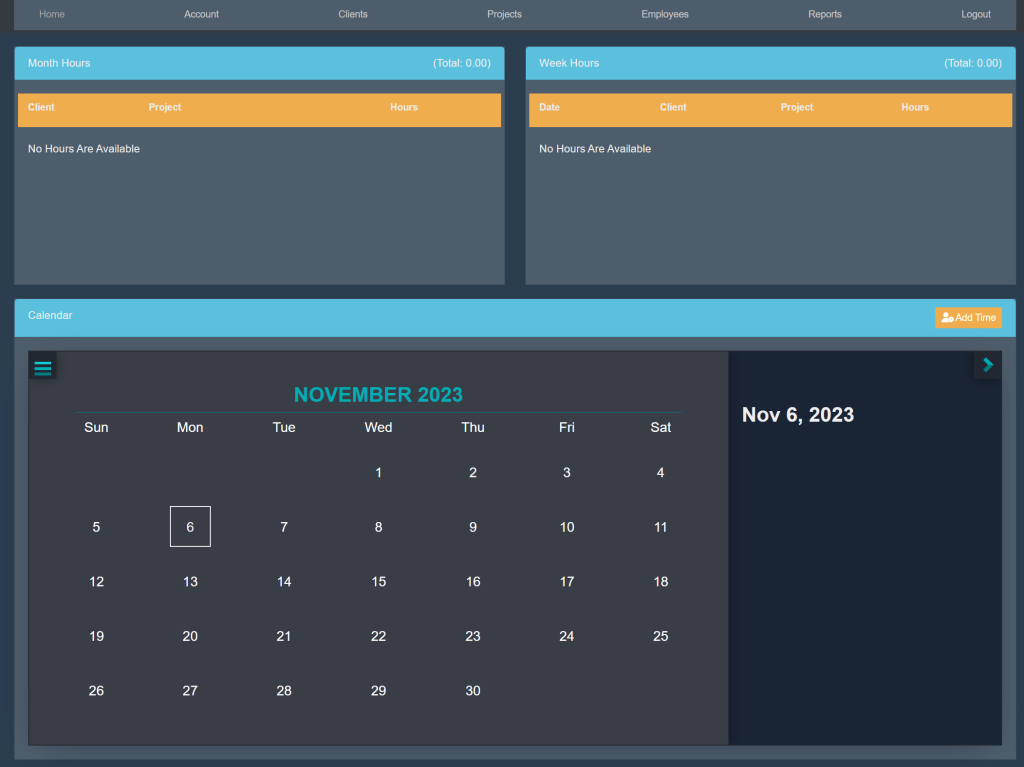
At the top of the page, select Projects. This will take you here:
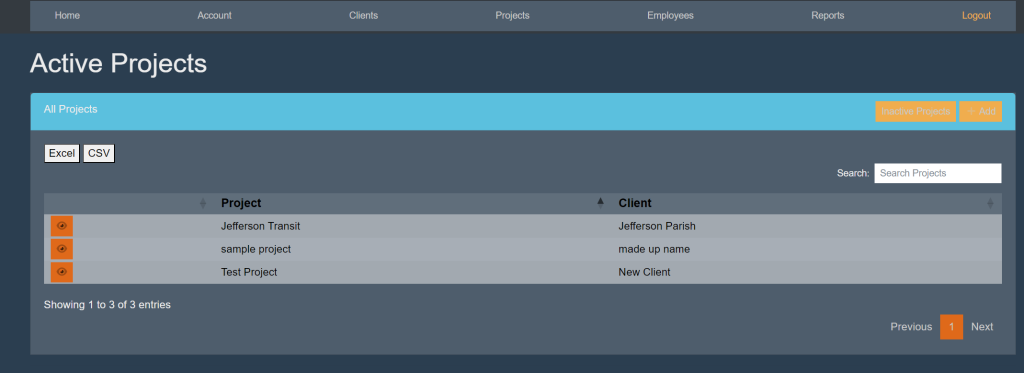
Within the All Projects box, select the orange button titled Inactive Projects.

Then, select the project that you wish to activate. This will take you here:
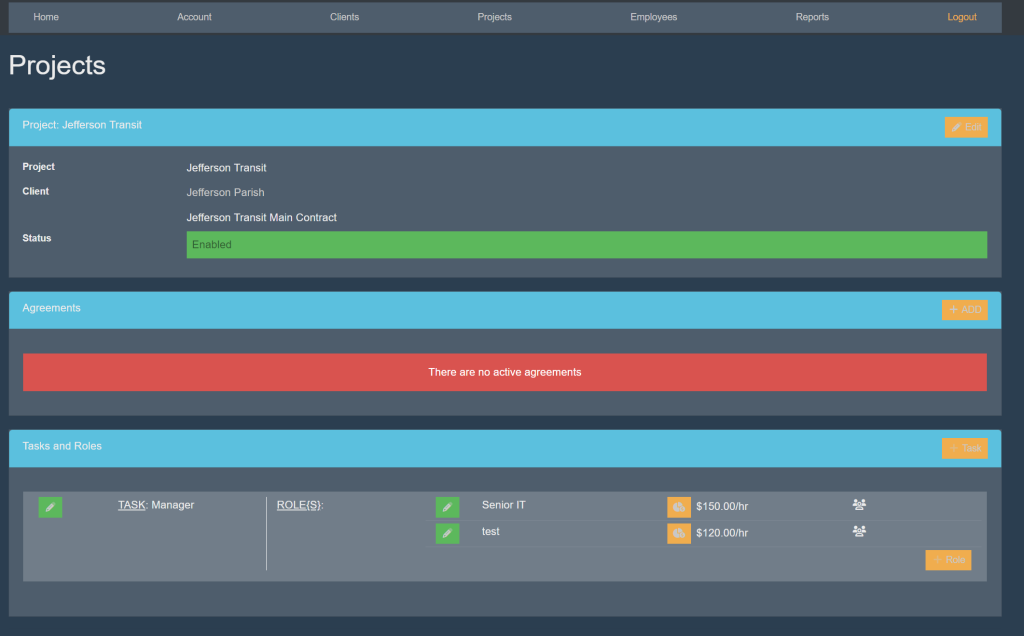
Within the box titled ‘Project’, select the orange button titled ‘Edit’ in the top right corner. Your page will look like this:
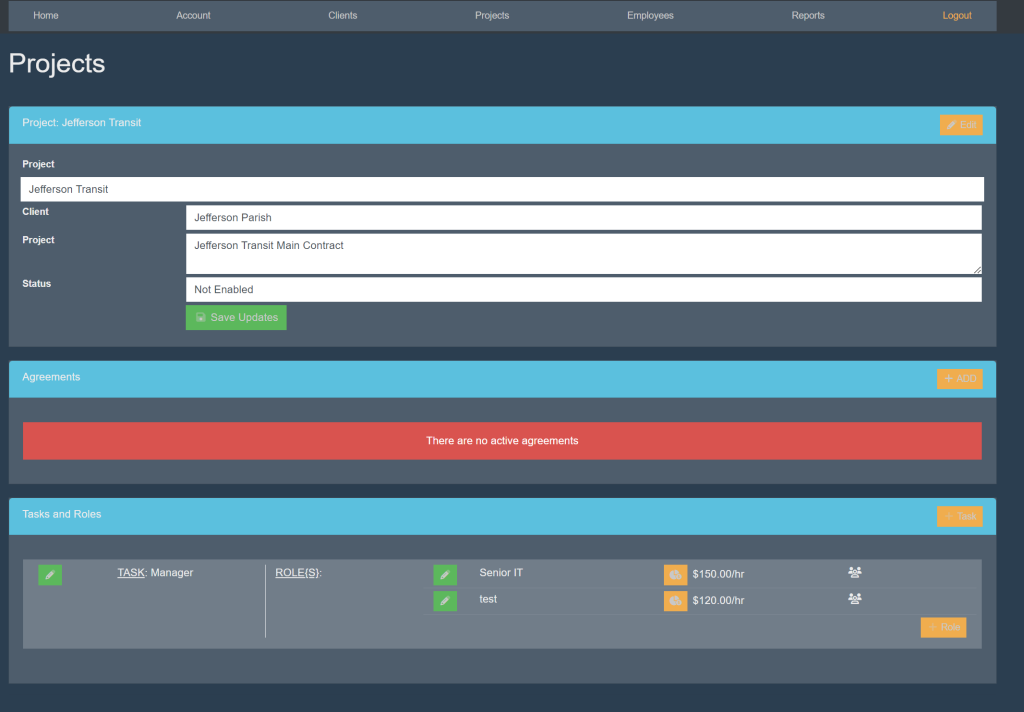
Next to the box titled ‘Status’, select ‘Not Enabled’. A drop down will appear. Select the option that says ‘Enabled’.

Then, select the green box titled ‘Save Updates’.

These are samples.

Updated on November 9, 2023

Was this article helpful?

Related Articles

Leave a Comment