
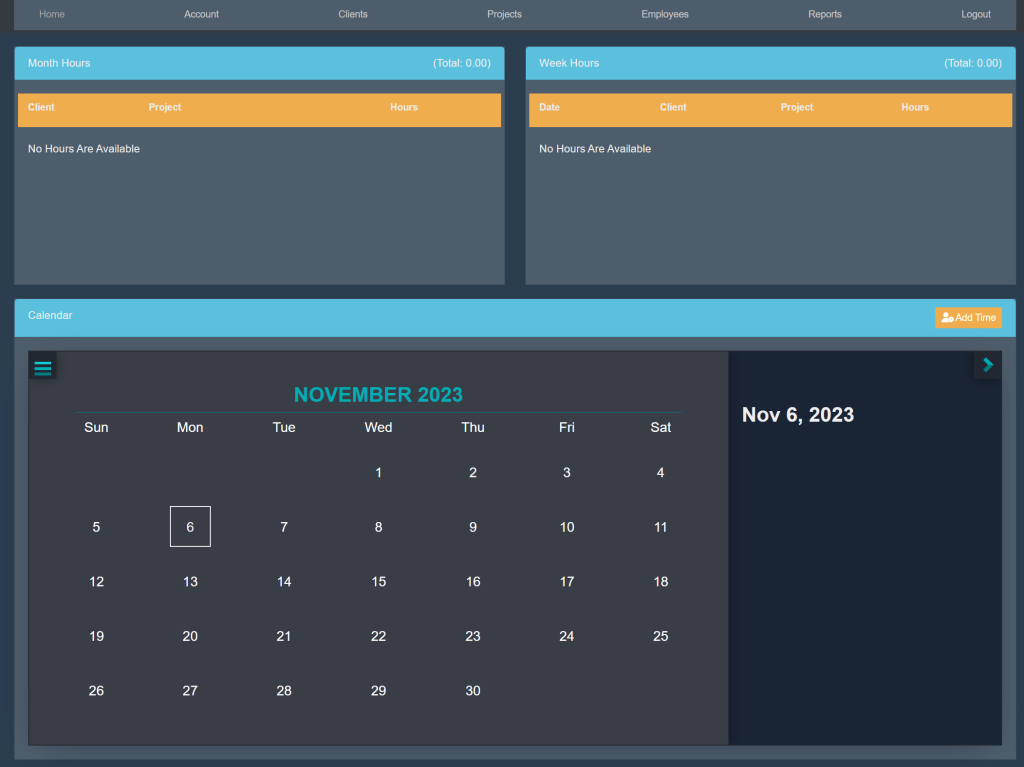
Sign into your account. This will take you here:
At the top of the page, select Account. This will take you here:
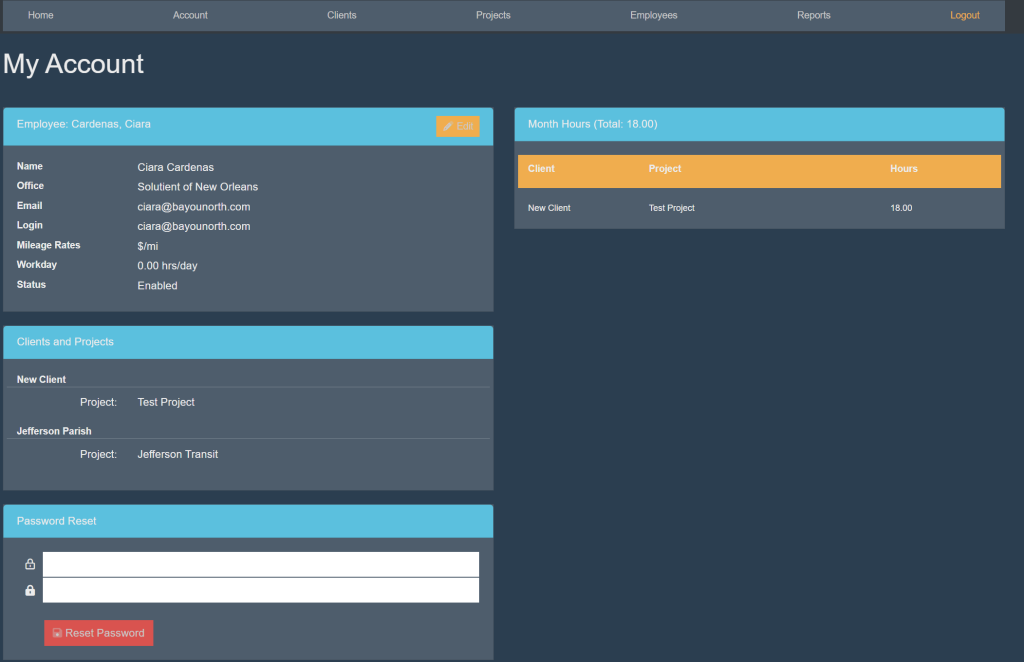
Locate the box titled ‘Employee’.
In the top right corner of the box, select the orange button titled ‘Edit’. Your page will now look like this:
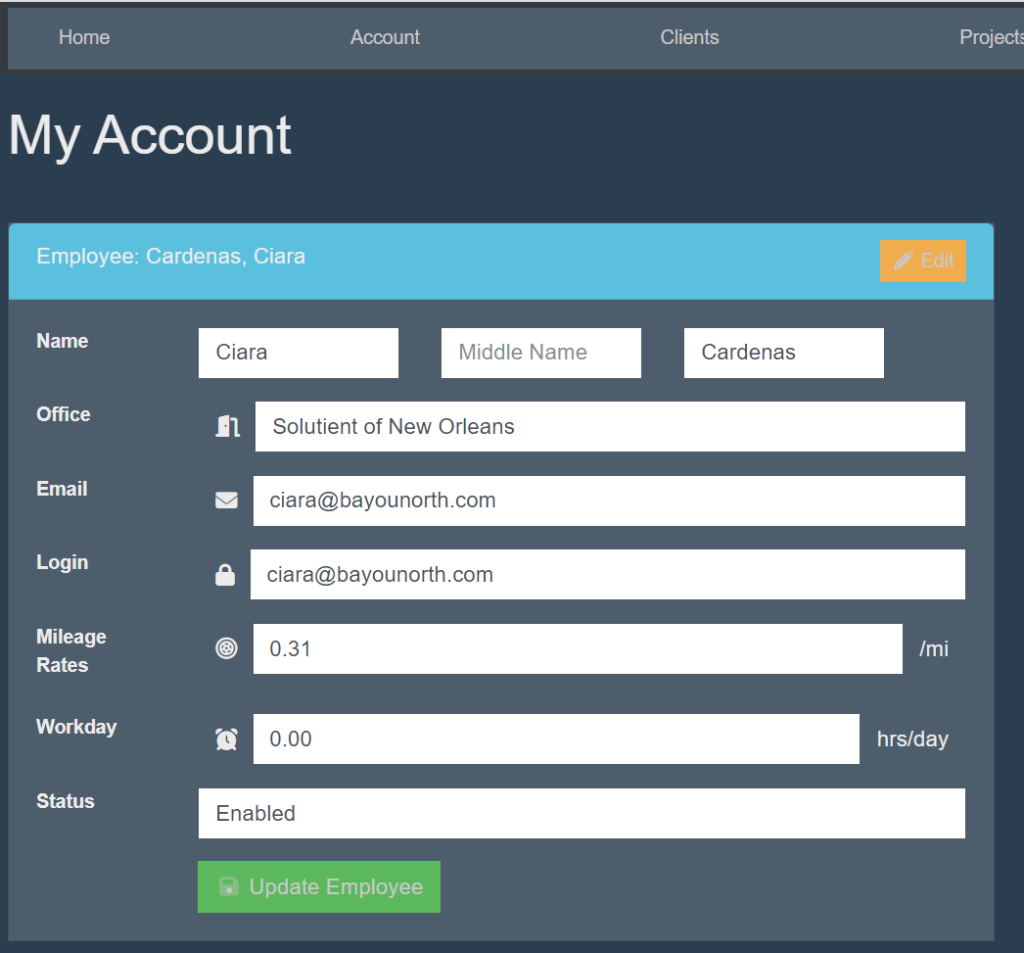
Fill in the following information:
- Name
- Office
- Login
- Mileage Rates
- Workday
- Status
Then, select the green button titled ‘Update Employee’.