
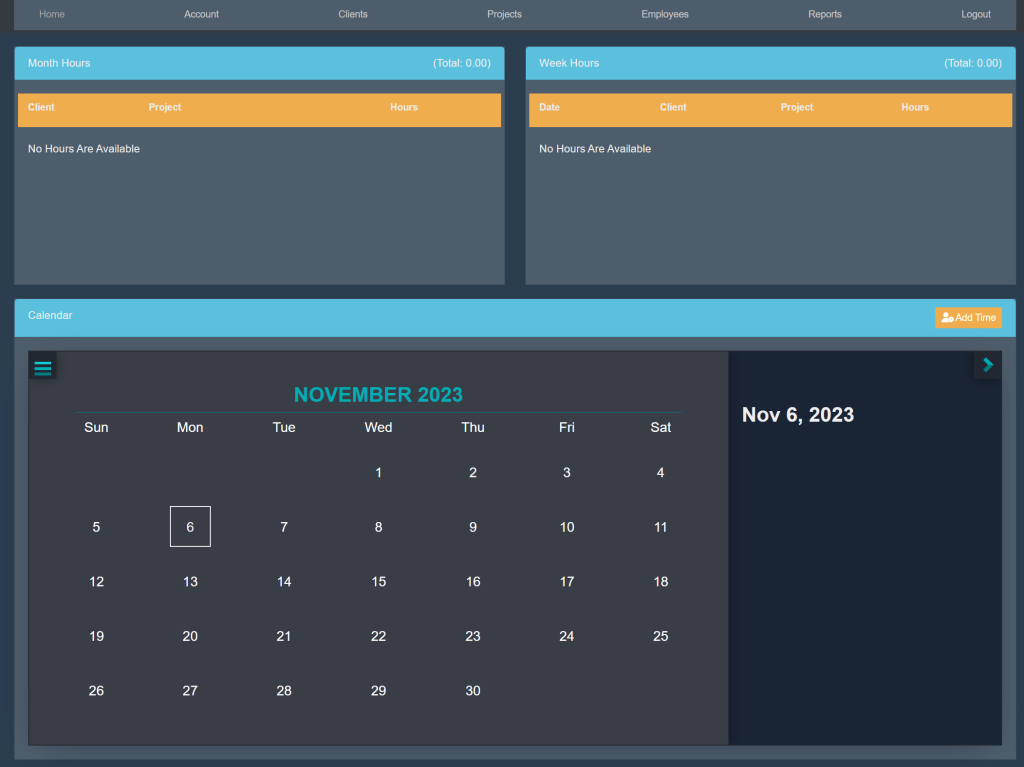
Sign into your account. This will take you here:
At the top of the page, select Clients. This will take you here:
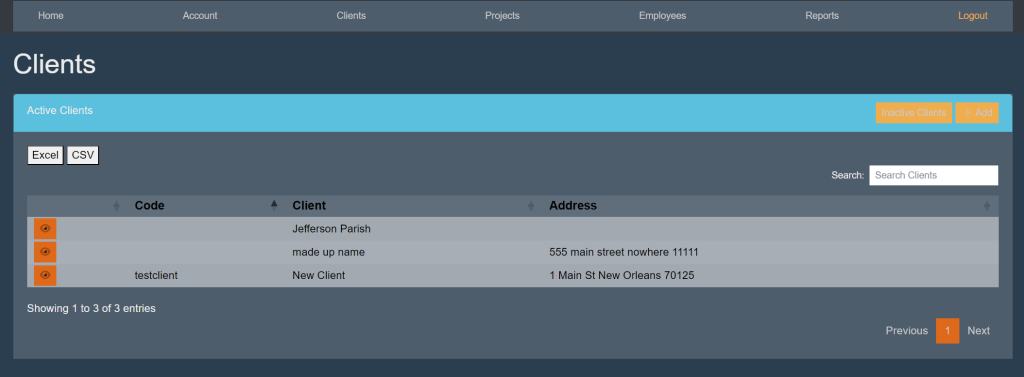
Within the Active Clients box, select the orange button titled +Add. This will take you here:
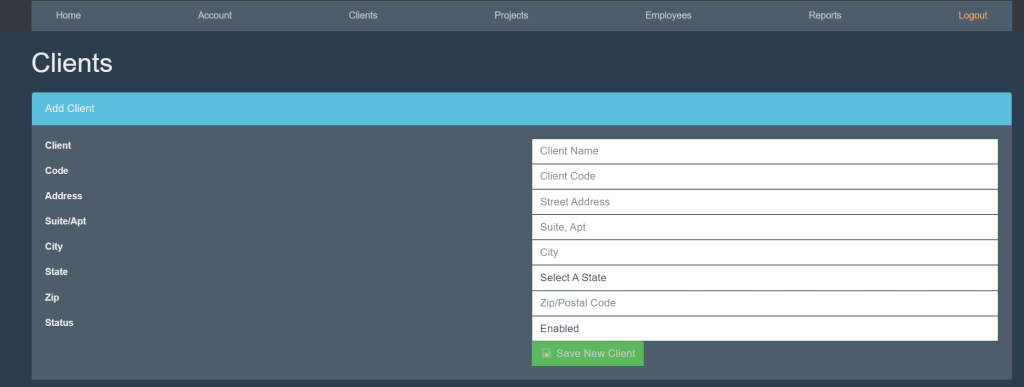
Fill in the following information:
- Client
- Code
- Address
- Suite/Apt
- City
- State
- Zip
- Status
Then, select the green button titled Save New Client.