Notice: Function _load_textdomain_just_in_time was called incorrectly. Translation loading for the knowall domain was triggered too early. This is usually an indicator for some code in the plugin or theme running too early. Translations should be loaded at the init action or later. Please see Debugging in WordPress for more information. (This message was added in version 6.7.0.) in /home/c2guidesolutient/public_html/wp-includes/functions.php on line 6131

Warning: Cannot modify header information - headers already sent by (output started at /home/c2guidesolutient/public_html/wp-includes/functions.php:6131) in /home/c2guidesolutient/public_html/wp-includes/feed-rss2.php on line 8
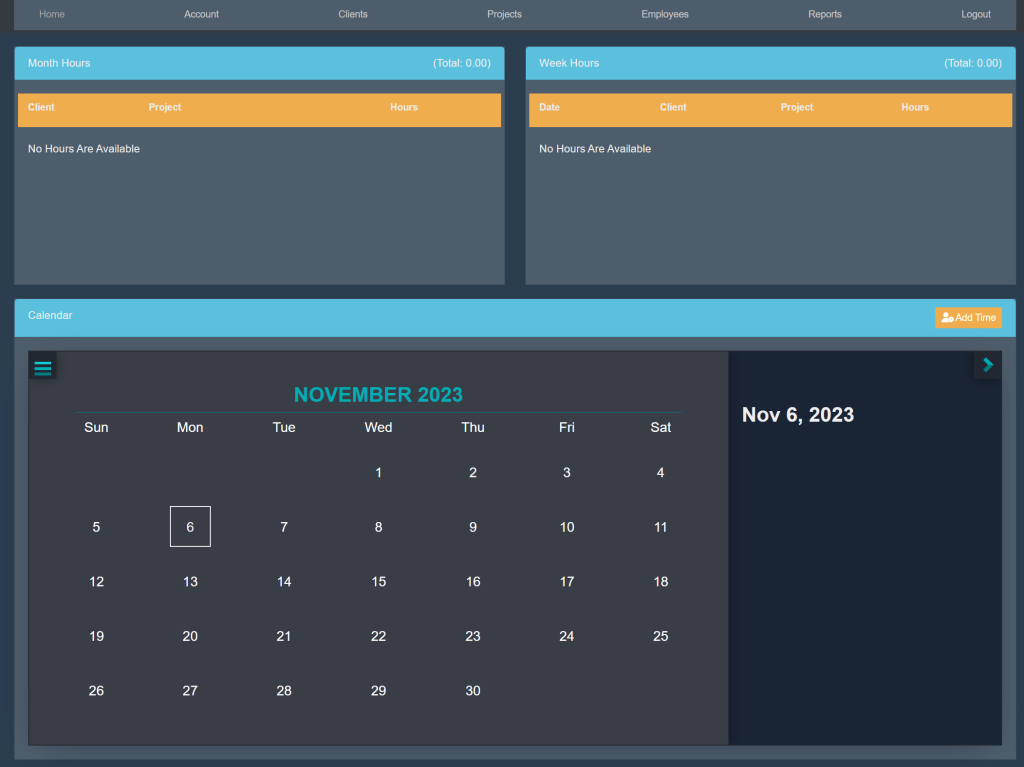
Account – Solutient C2 – Help Guide https://c2.solutient.help Thu, 09 Nov 2023 18:17:30 +0000 en-US hourly 1 https://wordpress.org/?v=6.9.4 How To View The Clients And Projects That You’re Assigned To https://c2.solutient.help/knowledge-base/how-to-view-the-clients-and-projects-that-youre-assigned-to/ https://c2.solutient.help/knowledge-base/how-to-view-the-clients-and-projects-that-youre-assigned-to/#respond Thu, 09 Nov 2023 18:17:29 +0000 https://c2.solutient.help/?post_type=ht_kb&p=156 Sign into your account. This will take you here:

At the top of the page, select Account. This will take you here:
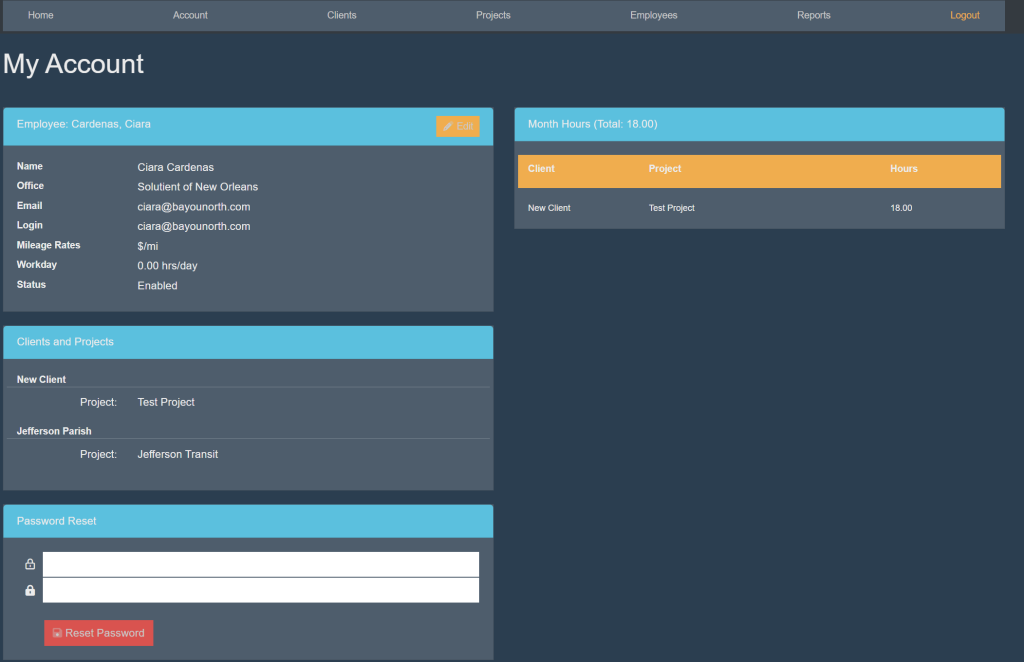
Locate the box titled ‘Clients and Projects’. Your clients and projects will be listed here.

These are samples.

]]>
https://c2.solutient.help/knowledge-base/how-to-view-the-clients-and-projects-that-youre-assigned-to/feed/ 0
Edit Your Employee Details https://c2.solutient.help/knowledge-base/edit-your-employee-details/ https://c2.solutient.help/knowledge-base/edit-your-employee-details/#respond Thu, 09 Nov 2023 16:49:06 +0000 https://c2.solutient.help/?post_type=ht_kb&p=132 Sign into your account. This will take you here:

At the top of the page, select Account. This will take you here:

Locate the box titled ‘Employee’.

In the top right corner of the box, select the orange button titled ‘Edit’. Your page will now look like this:
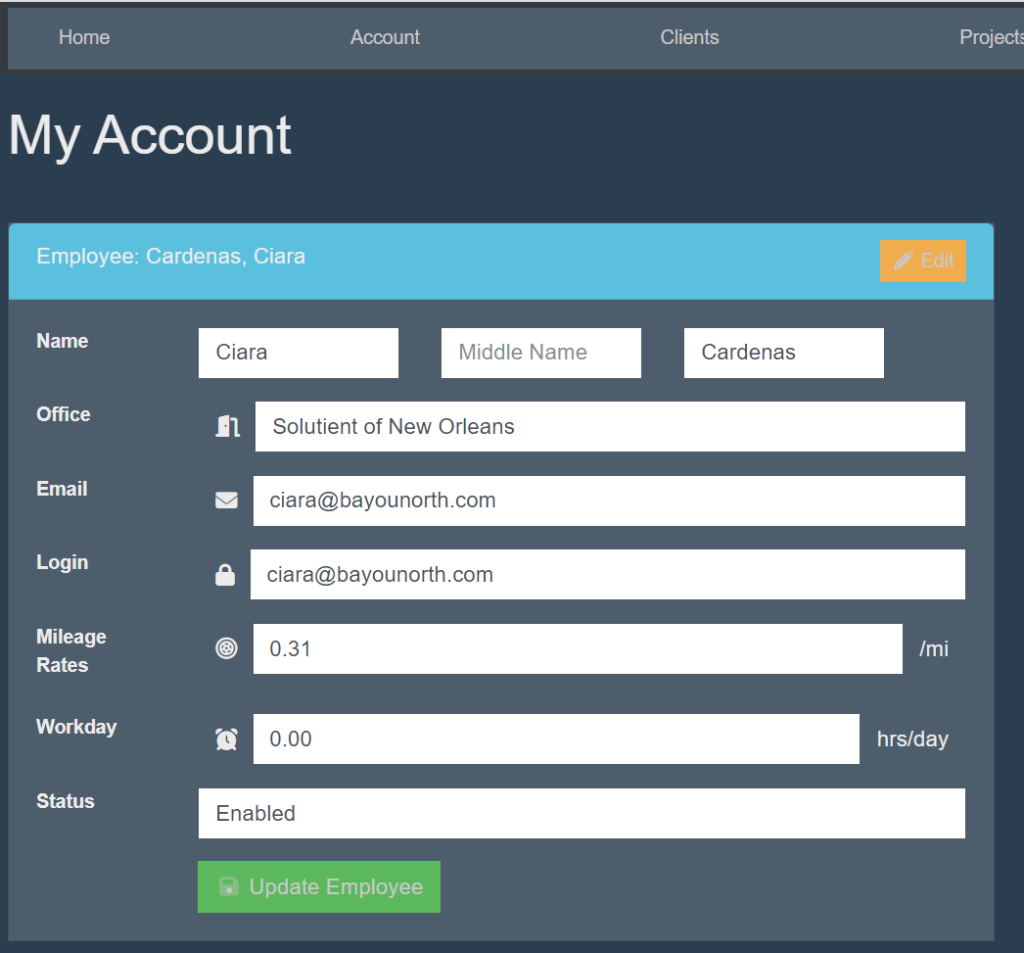
Fill in the following information:

  • Name
  • Office
  • Email
  • Login
  • Mileage Rates
  • Workday
  • Status

Then, select the green button titled ‘Update Employee’.

These are samples.

]]>
https://c2.solutient.help/knowledge-base/edit-your-employee-details/feed/ 0
Password Reset https://c2.solutient.help/knowledge-base/password-reset/ https://c2.solutient.help/knowledge-base/password-reset/#respond Thu, 09 Nov 2023 16:46:34 +0000 https://c2.solutient.help/?post_type=ht_kb&p=130 Sign into your account. This will take you here:

At the top of the page, select Account. This will take you here:

Locate the box titled ‘Password Reset’. Type in your desired password in both of the blank spaces. Then, select the red button titled ‘Reset Password’.

]]>
https://c2.solutient.help/knowledge-base/password-reset/feed/ 0
View Your Monthly Hours https://c2.solutient.help/knowledge-base/view-your-monthly-hours/ https://c2.solutient.help/knowledge-base/view-your-monthly-hours/#respond Thu, 09 Nov 2023 16:44:58 +0000 https://c2.solutient.help/?post_type=ht_kb&p=127 Sign into your account. This will take you here:

At the top of the page, select Account. This will take you here:

Locate the box titled Month Hours. This will display your total hours that have been worked within the past month as well as the Client and Project that you have assigned these hours to.

]]>
https://c2.solutient.help/knowledge-base/view-your-monthly-hours/feed/ 0